Every customer table in Snowflake carries some addresses that mail can't reach. A missing suite number, a misspelled street name, South where it should be North, a missing directional, or an address the USPS doesn't deliver to at all. None of these fail a SQL format check. All of them cost you downstream: returned mailings, failed deliveries, duplicate records your MDM can't merge, and analytics built on location data nobody can verify.
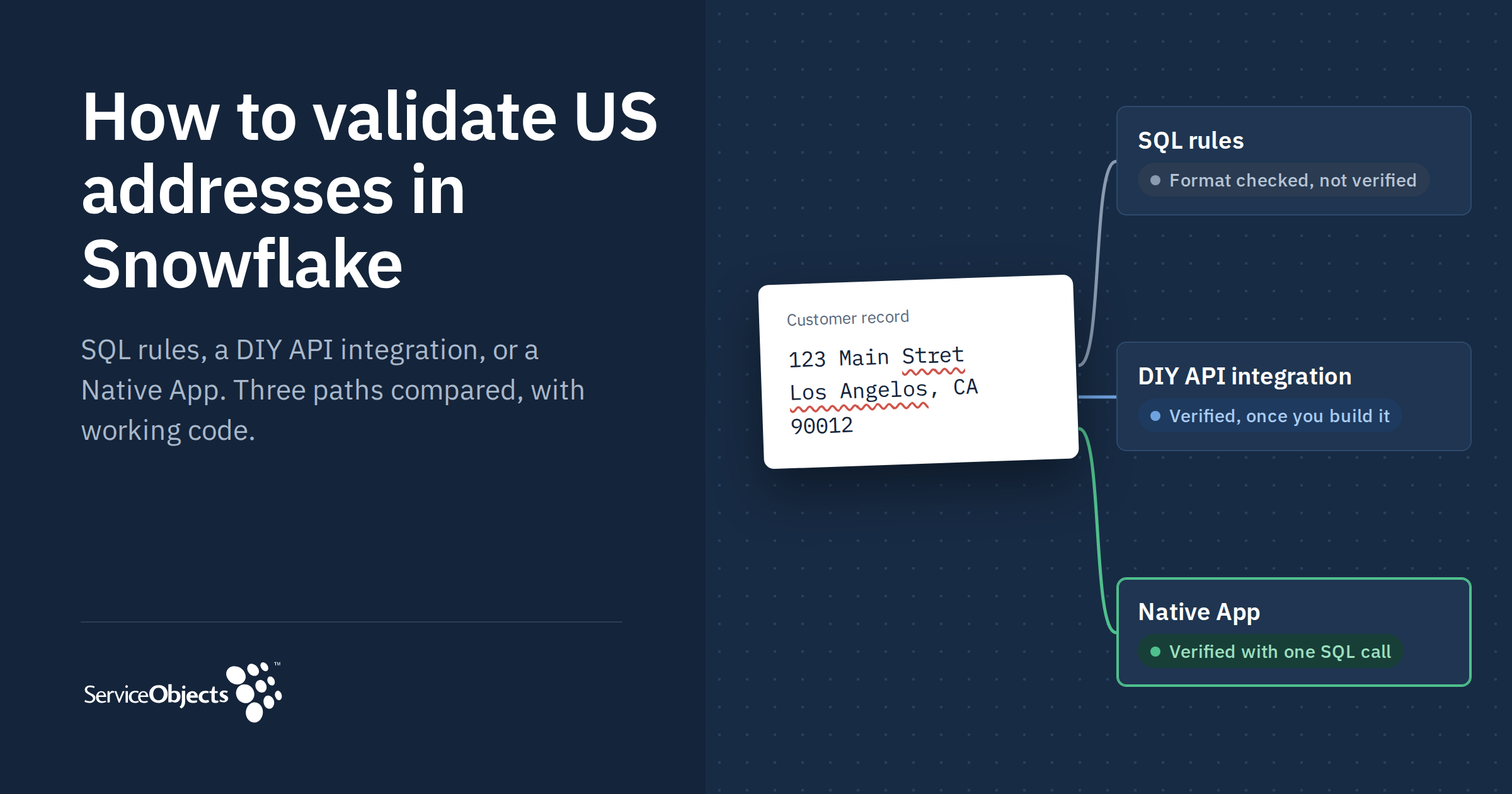
Data teams usually solve this one of three ways: SQL rules written inside the warehouse, a custom integration with an address validation API, or a Native App installed from the Snowflake Marketplace. All three options serve different purposes. SQL rules catch some problems, but on their own they can't tell a deliverable address from one that only looks right. The options also differ in how much you build and who maintains it. This guide walks through each with working code so you can pick the one that fits your team.
First, separate formatting from verification
Address validation is two jobs that often get treated as one.
- Standardization makes an address look right: consistent casing, USPS abbreviations (Street to ST, Apartment to APT), a clean ZIP format, trimmed whitespace. You can do this with string logic alone.
- Verification confirms the address exists and can receive mail: the street is real, the house number falls in a valid range, the unit exists, and the ZIP+4 matches. This requires authoritative postal reference data.
A perfectly formatted address can still be undeliverable. "999 ELM ST SPRINGFIELD IL 62704" passes every format check whether or not 999 Elm exists. And real input is rarely clean enough to look up directly, so good verification has to work out which address was intended before it can confirm it. Keep both points in mind as you read the three options, because they are what separate them.
Option 1: SQL rules inside Snowflake
The fastest start is pure SQL. You write standardization logic and format checks, run them as a view or a scheduled task, and flag rows that fail.
CREATE OR REPLACE VIEW customers_addr_clean AS
SELECT
  customer_id,
  UPPER(TRIM(REGEXP_REPLACE(address1, '\\s+', ' '))) AS addr1_std,
  REGEXP_REPLACE(
    REGEXP_REPLACE(
      REGEXP_REPLACE(UPPER(address1), '\\bSTREET\\b', 'ST'),
    '\\bAVENUE\\b', 'AVE'),
  '\\bAPARTMENT\\b', 'APT')                        AS addr1_abbrev,
  UPPER(TRIM(city))                                 AS city_std,
  UPPER(TRIM(state))                                AS state_std,
  LEFT(REGEXP_REPLACE(zip, '[^0-9]', ''), 5)        AS zip5,
  CASE
    WHEN address1 IS NULL OR TRIM(address1) = ''            THEN 'MISSING_STREET'
    WHEN NOT REGEXP_LIKE(zip, '^\\d{5}(-?\\d{4})?$')        THEN 'BAD_ZIP_FORMAT'
    WHEN UPPER(TRIM(state)) NOT IN (SELECT code FROM ref.us_states) THEN 'BAD_STATE'
    WHEN NOT REGEXP_LIKE(address1, '^\\d+')                 THEN 'NO_HOUSE_NUMBER'
    ELSE 'FORMAT_OK'
  END                                               AS format_flag
FROM raw.customers;
What it catches: blank fields, malformed ZIPs, invalid state codes, missing house numbers, and inconsistent spelling of common suffixes. You can extend it with a ZIP-to-state lookup table to catch mismatches like a Texas ZIP on an Ohio address.
What it misses: everything that needs postal reference data. SQL can't tell you whether 742 Evergreen Terrace exists, whether Apt 12B is a real unit, or what the ZIP+4 should be. It also can't tell that "Los Angelos" means Los Angeles or that an address on South Main belongs on North Main. "FORMAT_OK" means the row looks like an address, not that mail will arrive.
Cost to run: close to zero in compute. The real cost is maintenance: every new abbreviation, PO Box variant, and rural route format becomes another regex someone has to own.
Choose this when you need a quick hygiene pass, the data feeds internal analytics rather than mail or shipping, or you want a pre-filter before a verification step.
Option 2: Build your own API integration
To verify deliverability, you need an address validation service backed by postal reference data. Snowflake lets you call one from SQL through an external access integration and a UDF. Here is the minimum setup, using a placeholder vendor endpoint.
-- 1. Allow outbound traffic to the vendor host
CREATE OR REPLACE NETWORK RULE addr_api_rule
  MODE = EGRESS TYPE = HOST_PORT
  VALUE_LIST = ('api.your-address-vendor.com');

-- 2. Store the API key
CREATE OR REPLACE SECRET addr_api_key
  TYPE = GENERIC_STRING SECRET_STRING = '<your-key>';

-- 3. Bind them into an integration
CREATE OR REPLACE EXTERNAL ACCESS INTEGRATION addr_api_eai
  ALLOWED_NETWORK_RULES = (addr_api_rule)
  ALLOWED_AUTHENTICATION_SECRETS = (addr_api_key)
  ENABLED = TRUE;

-- 4. Wrap the call in a Python UDF
CREATE OR REPLACE FUNCTION validate_address(addr STRING, city STRING, state STRING, zip STRING)
  RETURNS VARIANT
  LANGUAGE PYTHON RUNTIME_VERSION = '3.11'
  PACKAGES = ('requests')
  HANDLER = 'run'
  EXTERNAL_ACCESS_INTEGRATIONS = (addr_api_eai)
  SECRETS = ('key' = addr_api_key)
AS $$
import _snowflake, requests
session = requests.Session()
def run(addr, city, state, zip):
    key = _snowflake.get_generic_secret_string('key')
    r = session.get('https://api.your-address-vendor.com/validate',
                    params={'address': addr, 'city': city, 'state': state,
                            'zip': zip, 'key': key}, timeout=10)
    r.raise_for_status()
    return r.json()
$$;

SELECT customer_id, validate_address(address1, city, state, zip) AS result
FROM raw.customers;
That works for a demo. Running it on a production table surfaces the rest of the build:
- Throughput. One HTTP call per row is slow and hits vendor rate limits. You'll need a vectorized UDF or batch endpoint, plus backoff and retry logic for 429s and timeouts.
- Failure handling. A single failed call can fail the whole query. You need partial-failure capture, a retry table, and a way to reprocess.
- Response parsing. Every vendor returns its own JSON shape and status codes. Someone has to map those into columns your downstream models trust, and update the mapping when the vendor changes it.
- Cost control. Re-running a view re-bills every row. You'll want caching or incremental logic so you only validate new or changed addresses.
- Procurement and security review. A new vendor contract, a new API key to rotate, and a new data flow for your security team to approve.
Choose this when you already hold a contract with an address API vendor, have data engineering capacity to own the pipeline long term, or need custom logic the vendor's standard output doesn't cover.
Option 3: Install a Native App from the Snowflake Marketplace
A Native App gives you the verification of Option 2 without the pipeline. You install it into your Snowflake account, grant it access once, and call it from SQL. The provider owns the connection logic, batching, retries, and output schema.
Service Objects publishes a USPS CASS-certified address validation app for US addresses on the Snowflake Marketplace. It runs on the same validation engine Service Objects has operated in production since 2001, which has delivered more than 8 billion validations.
More than a USPS lookup
A lookup answers one question: does this exact string match a postal record? Customer data rarely arrives that clean. "123 Main Stret, Los Angelos" fails a strict lookup even though the intended address is obvious to any person reading it. Service Objects' matching logic resolves misspellings, missing suffixes, and wrong ZIP codes to a valid delivery point, then tells you what it changed and why.
That changes what you can do next. Instead of a valid or invalid flag, every record comes back with the detail a pipeline needs to make a decision:
- Standardized components: street, city, state, and ZIP+4, formatted to the USPS standard.
- DPV scoring: whether the address is a confirmed USPS delivery point or not.
- DPV notes: what was found or missing at the delivery point, so a fixable address gets kept rather than dropped.
- Residential Delivery Indicator (RDI): whether the address is residential or not.
- Correction description: what changed and why, so every record stays auditable.
Here is what that looks like for one record:
| Field | Input | Output |
|---|---|---|
| Address | 26 S Chestnut | 26 S Chestnut St |
| City, State | Ventura, CA | Ventura, CA |
| ZIP code | 93033 | 93001-2800 |
| DPV | 1 (valid mailing address) | |
| Residential | No | |
| Correction notes | Directional or suffix change, ZIP code change |
The full response also includes parsed address fragments, carrier route, congressional district, barcode digits, county information and other delivery indicators.
Setup in four steps
1Install and start a trial. Open the listing and click Try Now. The free trial runs 90 days and covers 1,000 address validations with full output. No credit card is required, and nothing is charged when the trial ends.
2Grant access. Give the app permission to read from and write to the database and schema you're working in:
GRANT USAGE ON DATABASE MY_DB
  TO APPLICATION SERVICE_OBJECTS_AV3_APP;

GRANT USAGE ON SCHEMA MY_DB.MY_SCHEMA
  TO APPLICATION SERVICE_OBJECTS_AV3_APP;

GRANT CREATE TABLE ON SCHEMA MY_DB.MY_SCHEMA
  TO APPLICATION SERVICE_OBJECTS_AV3_APP;
The app sends address data to the Service Objects API through a single external access integration you grant and revoke, and retains nothing. That integration is the only external connection the app uses, and you can see exactly what it accesses in the app manifest.
3Run the validation. Pass a SELECT query with the records you want validated, and name where the results should go:
CALL APP_CODE.AV3_GET_BEST_MATCHES(
  'SELECT CONSUMER_ROW_ID, BUSINESSNAME, ADDRESS,
  '''' AS ADDRESS2, CITY, STATE, POSTALCODE
  FROM MY_SCHEMA.MY_TABLE',
  'MY_SCHEMA.AV3_RESULTS'
);
The SELECT query controls exactly which records get processed, so add a WHERE clause or LIMIT when you want to test on a subset. If your columns use different names, map them in a view first.
4Use the results. The app writes a timestamped results table to your schema, using the name you supplied as the base. To keep only confirmed deliverable addresses:
SELECT *
FROM MY_SCHEMA.<GENERATED_AV3_RESULTS_TABLE>
WHERE DPV = 1;
From there, join results back to your source table on CONSUMER_ROW_ID, route records on their DPV notes (proceed, review, or suppress), and schedule the call from a Snowflake task to validate new records on a recurring basis.
How you pay
After the trial, you can buy the app through Marketplace Capacity Drawdown (MCD). MCD lets you apply your existing committed Snowflake spend to Marketplace purchases, so there's no separate vendor contract and no new procurement process.
Trade-offs
You work with the output schema the app provides rather than one you designed. The app runs as a batch process on data already in your warehouse, not at point of entry in a web form. And like Option 2, address data does leave Snowflake to reach the validation service. The difference is that you don't build or maintain the pipeline that carries it.
Choose this when you need deliverability verification, not just formatting, and you'd rather spend your data engineering time on models than on an API integration.
The three options side by side
| Capability | SQL rules | DIY API integration | Native App |
|---|---|---|---|
| Standardizes format | Partly, by hand-written rules | Yes | Yes |
| Resolves misspelled or incomplete input | No | Depends on vendor | Yes |
| Verifies deliverability (DPV) | No | Yes, if your vendor returns it | Yes |
| Explains what changed | No | Depends on vendor | Yes, correction notes and DPV notes |
| Time to first result | Hours-weeks | Weeks, plus ongoing ownership | Under 10 minutes |
| Who maintains it | Your team | Your team | Service Objects |
| Address data leaves Snowflake | No | Yes, through your integration | Yes, through one integration you grant and revoke |
| New vendor contract | None | Required | None; buy through MCD |
| Try before you commit | Not applicable | Vendor trial, then build | 90 days, 1,000 addresses, no card |
How to choose
Start with one question: does anything downstream depend on the address being deliverable? If the table only feeds internal dashboards, SQL rules are enough. If it drives mailings, shipments, compliance reporting, or record matching, you need verification, and the choice narrows to building the integration or installing it.
Build it yourself when you already pay an address API vendor and have engineers ready to own the pipeline for years, not weeks. Install a Native App when you'd rather have verified addresses this week and keep your engineers on the work only your team can do.
The approaches also combine well. Many teams run SQL rules first to drop blank and malformed rows, then send only the survivors to verification, which keeps validation counts down.
Try it on your own data. Start the free 90-day trial and validate your first 1,000 addresses in Snowflake, no credit card required.
Start the free 90-day trial